How to Choose a Computer Circuit Board?
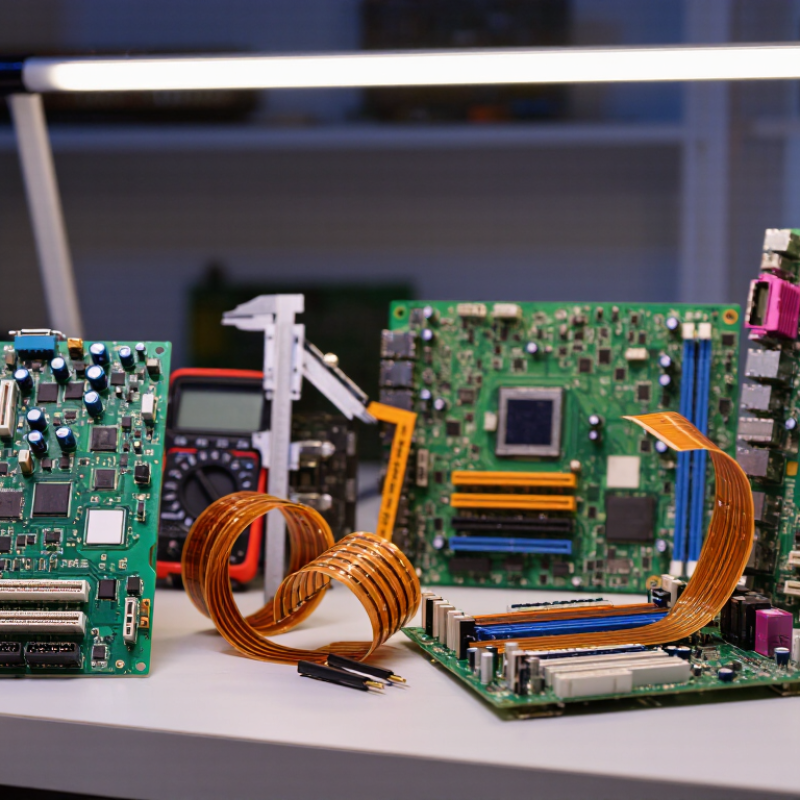
Choosing a Computer Circuit Board begins with the job it must perform, not its appearance. A small controller for a desk sensor has different needs from a board powering a motor or processing high-speed signals. Start with operating voltage, current, temperature, size, and expected service life. Then check whether the design needs rigid, flexible, or rigid-flex construction. Small details matter.
Market demand makes the choice increasingly consequential. Grand View Research estimated the global printed circuit board market at USD 76.12 billion in 2023, with projected annual growth of 5.1% from 2024 through 2030. That report signals a broad, expanding market, but it does not tell you which board suits your device. For that, compare copper-layer count, material, thickness, trace spacing, and manufacturing tolerances against the design requirements. IPC standards, including IPC-2221 for board design and IPC-6012 for rigid-board qualification, offer useful technical reference points. Ask suppliers for test records and confirm that quoted specifications match your application.
A cheaper board can cost more later if it overheats, fails testing, or needs redesign. Still, more layers do not automatically mean better performance. I would treat supplier claims as a starting point, then verify them against drawings, samples, and actual operating conditions. Even a careful selection has trade-offs. The right board is the one whose documented capabilities fit the product, its environment, and the production budget—not simply the one with the longest specification sheet.
Define the Computer’s Purpose and Performance Needs
Start with the workload. A home computer for browsing needs different priorities from a workstation handling 3D models or large datasets. Write down the software, expected task size, and how many hours the system will run each day. Then translate those needs into board requirements: processor compatibility, memory capacity, expansion slots, storage connections, and display or network ports. Leave some headroom, but avoid paying for features the workload will never use.
Performance targets are changing quickly. Gartner projected that AI-capable computers would account for 43% of worldwide computer shipments in 2025, or 114 million units (Gartner, 2024). That forecast makes accelerator support and memory bandwidth worth checking for some workloads, though not every user needs them. Benchmark the actual applications when possible; a headline processor speed alone can mislead. Reliability matters, too. Uptime Institute’s 2024 Global Data Center Survey reported that 54% of respondents’ most recent significant outages cost more than $100,000. This figure concerns data centers, not ordinary desktops, but it highlights the value of stable operation. Check the board’s power delivery, cooling clearance, and memory support against sustained workloads. Requirements can change. Revisit the assumptions before buying.
Check Compatibility with the Processor and Other Components
Before choosing a circuit board, match its processor socket to the exact processor model. Similar-looking sockets are not interchangeable. Check the board’s support list, too, because some processors need a particular firmware version to start. A board can fit physically and still fail to boot. I learned that the hard way during a rushed upgrade.
Then check the rest of the system as a group. Confirm the memory type and supported capacity; a board built for one memory generation will not accept another. Count the storage connections you need, and make sure the graphics card has a suitable expansion slot and enough physical clearance. Look closely at power requirements. The board’s main power connector and processor power connector must match the supply’s cables. Small details matter. Measure the case, too, and compare its supported board size with the board’s dimensions. Cooler height and nearby heatsinks can cause surprises. I sometimes treat compatibility lists as a starting point, not a guarantee, since revisions and firmware can complicate things. Check the manual and current support information before buying, especially when pairing older components with a newer board.
Choose a Suitable Board Size and Expansion Layout
Choose a board size only after measuring the case’s supported form factors and internal clearances. A smaller board may fit, but it can leave fewer expansion slots and tighter access around cables. Check the graphics card’s length, cooler height, and power-connector space against the case dimensions. Small boards can work. Yet a millimeter-level clearance can become awkward during assembly.
Expansion layout matters as much as board dimensions. Map the slots you expect to use: a graphics card, capture card, or network adapter may cover neighboring connectors. Count M.2 sockets and note whether they sit beneath the graphics card, where heat and access can be concerns. PCI-SIG’s published PCI Express 5.0 data specifies 32 GT/s per lane, double PCIe 4.0’s 16 GT/s. That bandwidth figure describes the link, not whether your cards physically fit.
Leave room for future changes, but avoid paying for empty slots you will never use. Compare the board manual’s slot diagram with your actual components before buying. This step is easy to skip. It is also where plans can fall apart: slot spacing, airflow, and cable routing rarely look quite as tidy inside a real case.
How to Choose a Computer Circuit Board? Choose a Suitable Board Size and Expansion Layout
Compare board width and depth with the space available in your case. ATX boards provide up to seven expansion-slot positions, Micro-ATX up to four, and Mini-ITX one. Actual slot availability depends on the board design, so check its layout and your expansion-card needs before choosing.
Compare Connectivity, Memory Support, and Key Features
How to Choose a Computer Circuit Board?
Compare Connectivity, Memory Support, and Key Features
Start with the devices you will actually connect: storage drives, displays, network cables, and peripherals. Count the ports, then check their location and supported standards. A USB-C connector alone does not guarantee high data speed or display output. USB-IF’s USB4 Version 2.0 specification supports up to 80 Gbps, but a board’s implementation determines what each port can do. Ports are physical promises. Read the board’s specifications, not just its port count.
Memory support is equally practical. JEDEC’s DDR5 standard defines data rates starting at 4,800 MT/s; the board and processor must both support the chosen memory type and speed. Check the maximum capacity, number of slots, and whether the listed speed requires overclocking. PCI-SIG reports that PCIe 6.0 reaches 64 GT/s per lane, with up to 256 GB/s across an x16 connection. That is a standards ceiling, not a reason every user needs the newest slot. Small details matter. I would also check lane sharing: adding a drive can sometimes disable or slow another connection, and product tables do not always make this obvious.
Evaluate Build Quality, Reliability, and Total Cost
A computer circuit board should be judged by more than its price or appearance. Check that components sit evenly, solder joints look smooth, and connectors feel secure without excessive force. A clean surface helps, but it does not prove careful manufacturing. If possible, review inspection records and test results, especially for boards expected to run continuously or handle heat.
Reliability depends on the board’s operating conditions. Compare its rated temperature range, electrical requirements, and expected service life with your actual use. A board that works in a cool office may behave differently inside a warm, crowded enclosure. Consider repair access, replacement availability, and warranty terms too. Cheap can become costly. Include installation, cooling, downtime, and likely replacement costs in your estimate. Some figures are hard to predict, and it is easy to overestimate how long any component will last.
Tips: Ask for the board’s revision level and written test criteria. Inspect sample units under bright light, and check connectors for looseness. Compare total ownership costs, not just purchase prices. If specifications are unclear, pause and ask for clarification; a polished datasheet is not a substitute for useful evidence.