










JHY PCB Blog Hub
Your Source for Expert PCB Design, Manufacturing, and Assembly Insights – Stay Informed with 2025 Trends!
What Are the Top Types of Passive DAC Cables?
Data-center links often look simple from the front of a server. A short copper cable connects two ports, and the link comes up. Yet choosing a Passive Dac Cable requires more than matching plug shapes. Speed, port type, cable length, and equipment compatibility all matter. Small details matter.
The common options include SFP+ DACs for 10-gigabit links, SFP28 models for 25-gigabit links, and QSFP+ or QSFP28 cables for higher-bandwidth connections. Some QSFP cables split into several lanes, making breakout versions useful when one switch port connects to multiple devices. These cables use twinax copper and fixed transceivers at both ends. Unlike active optical cables, passive DACs do not contain signal-conditioning electronics, which keeps them simple and often economical for short runs.
But “short” depends on the installation. A one-meter cable may fit neatly inside a rack, while a longer route may create clutter or exceed the reliable reach of a particular link. Check the switch and network-card documentation, supported data rates, connector family, and vendor coding before ordering. Not always obvious. Two cables that look identical may not work equally well across different hardware.
This guide compares the main passive DAC types and explains where each makes sense. It also considers practical limits, including reach and compatibility. I would not choose by price alone; measuring the route and confirming both endpoints can prevent an avoidable return.
How Passive DAC Cables Connect Network Devices
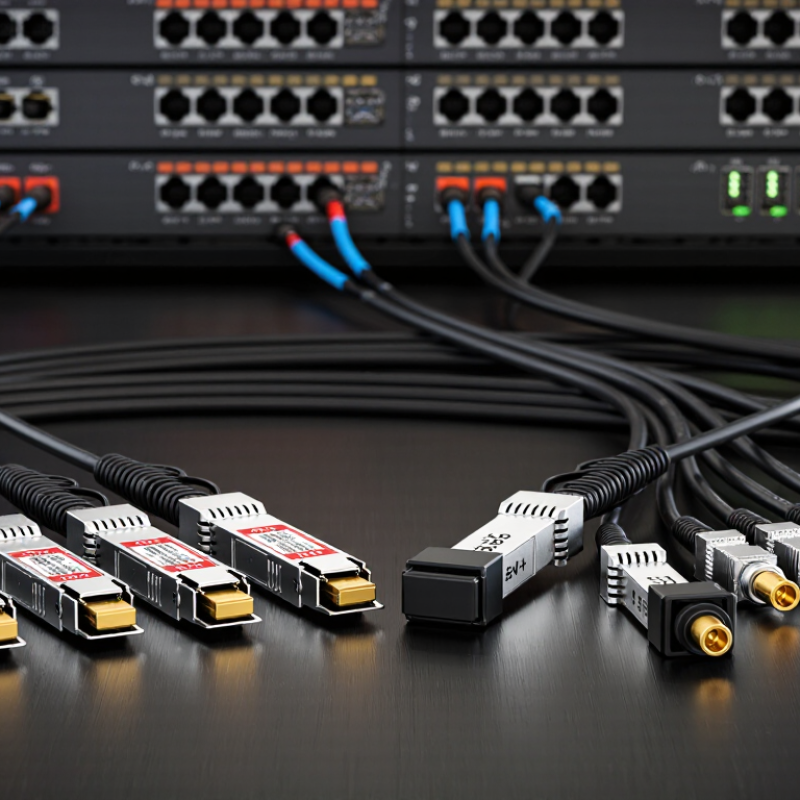
Passive DAC cables connect network devices through a short copper link with factory-attached connectors at both ends. A common setup runs from a switch port to a server’s network interface, carrying data directly between them. The cable’s twinax copper conductors and integrated ends avoid separate optical modules. No extra power is needed for signal amplification.
Different connector formats suit different ports. SFP+ and SFP28 cables commonly link individual switch and server ports, while QSFP+ and QSFP28 options serve higher-density ports. Some QSFP cables split into several smaller links, useful when one switch port must connect to multiple devices. Check the equipment documentation: matching connector shape alone does not guarantee compatibility. It matters.
Passive DACs are typically chosen for short connections inside a rack or between nearby racks. Their low latency and simple installation can make cable management easier, though thick bundles may be awkward in a crowded cabinet. Keep the run within the supported distance, and leave enough slack for service access. A tidy-looking cable route can still block airflow. I have seen teams focus on speed ratings and overlook bend space; that small detail deserves a second look.
SFP+ DAC Cables for 10-Gigabit Connections
A passive SFP+ DAC uses twinax copper cable with SFP+ connectors fixed at both ends. It carries 10-Gigabit Ethernet between compatible switches, servers, or network cards without separate optical transceivers. In a rack, a short cable can connect two ports directly and reduce clutter. Short runs work best. Passive DACs are typically economical and use less power than optical links, but their reach is limited. Supported lengths vary by cable and equipment, so check both before ordering.
A cable that fits physically may still fail to establish a link. Devices must support the cable’s coding and connection type, and both ends should be configured for compatible speeds. Leave enough slack for servicing, but avoid tight bends that strain the connectors. One overlooked detail: a bundle of copper cables can obstruct airflow in a crowded rack. Check the layout, not just the port count.
Tips: Confirm the exact supported length in each device’s documentation. Label both ends before routing; it saves time when tracing connections later. If the link stays down, reseat the connectors and inspect the port settings. Don’t assume the cable is faulty—or compatible—without checking both.
Common SFP+ Passive DAC Cable Lengths for 10-Gigabit Connections
Passive SFP+ DAC cables are twinax copper cables commonly available in lengths from about 0.5 m to 7 m for 10-Gigabit links. The maximum supported length depends on the specific cable and connected equipment, so check their specifications before choosing a cable.
QSFP+ and QSFP28 DAC Cables for Higher Data Rates
QSFP+ and QSFP28 passive DAC cables connect nearby network devices through copper twinax wiring. QSFP+ links commonly carry up to 40 Gb/s, using four 10 Gb/s lanes. QSFP28 links can carry up to 100 Gb/s, typically across four 25 Gb/s lanes. Actual speed depends on both devices, their supported standards, and correct port configuration. Check the port first.
Because passive cables contain no signal-conditioning electronics, they use little power and add minimal latency. Their practical reach is short, making them useful for switches and servers mounted in the same rack. A one- or two-meter cable can reduce clutter compared with separate optics and fiber. Yet the thicker cable can be stiff. Tight bends may strain connectors or block airflow, especially in a crowded rack.
Before ordering, confirm the cable type, lane rate, and compatibility requirements for both endpoints. A QSFP28 connector does not guarantee that every cable will work with every port. Also measure the actual route, including space for gentle bends. It is tempting to choose the cheapest or shortest option, but service access matters too. I would leave enough slack to move equipment safely, without letting extra cable coil across vents. Passive DACs are efficient for short links, but they are not a universal substitute for optical cabling over longer distances.
What Are the Top Types of Passive DAC Cables? - QSFP+ and QSFP28 DAC Cables for Higher Data Rates
| Cable Type | Connector Ends | Typical Lane Configuration | Common Aggregate Data Rate | Typical Use | Typical Reach |
|---|---|---|---|---|---|
| QSFP+ to QSFP+ passive DAC | QSFP+ on both ends | 4 lanes at approximately 10 Gb/s per lane | Up to 40 Gb/s Ethernet | Short links between switches, routers, and server adapters in data centers | Commonly a few meters; supported length depends on the cable and equipment |
| QSFP+ to 4 × SFP+ breakout DAC | One QSFP+ end to four SFP+ ends | Four independent 10 Gb/s links | Up to 4 × 10 Gb/s | Connecting a QSFP+ switch port to four compatible 10 Gb/s ports | Usually used for short in-rack connections; check the supported cable length |
| QSFP28 to QSFP28 passive DAC | QSFP28 on both ends | 4 lanes at approximately 25 Gb/s per lane | Up to 100 Gb/s Ethernet | Short 100 Gb/s links between switches, servers, and network adapters | Commonly a few meters; maximum reach varies with cable construction and port support |
| QSFP28 to 4 × SFP28 breakout DAC | One QSFP28 end to four SFP28 ends | Four independent 25 Gb/s links | Up to 4 × 25 Gb/s | Connecting a 100 Gb/s-capable QSFP28 port to four compatible 25 Gb/s ports | Intended for short, direct connections; verify breakout support on both devices |
Notes: Passive DACs use copper twinax and do not contain signal-retiming electronics. Actual data rate, supported length, and compatibility depend on the host ports, cable specification, and device configuration. QSFP+ and QSFP28 share a similar form factor, but port compatibility and supported link modes are not guaranteed.
QSFP-DD and OSFP DAC Cables for High-Density Links
For high-density links, QSFP-DD and OSFP passive DAC cables connect switches, servers, and accelerators over short distances. They carry electrical signals through copper, with no optics or active signal processing inside the cable. No optics are involved. This keeps power use low and avoids adding transceivers at both ends. In practice, these assemblies are often chosen for connections within a rack, where a few meters can make a meaningful difference to cost and cabling simplicity.
QSFP-DD and OSFP cables are designed for different port formats, so the connector must match the equipment at each end. Both can support multiple high-speed electrical lanes, but exact compatibility depends on the host ports, signaling rate, and cable specification. Check those details before ordering.
Cable length and thickness also matter: a stiff assembly can block nearby ports or press against airflow paths. Measure the route, including bends, rather than relying only on the distance between devices. Passive DAC reach is limited, and that limit varies with speed and cable design.
A neat cable map is useful, but it cannot fix a tight bend or an incompatible interface. There is no single best type for every rack. One overlooked detail is how often technicians need to unplug it; dense layouts can make routine service awkward.
How to Compare DAC Types by Speed, Distance, and Compatibility
What Are the Top Types of Passive DAC Cables?
Passive DAC cables are grouped by connector and lane rate: SFP+ for 10 Gb/s, SFP28 for 25 Gb/s, and QSFP-family cables for higher aggregate rates. IEEE 802.3by-2016 specifies 25GBASE-CR over up to 5 meters of twinax copper. SFF-8431 defines the SFP+ interface used for 10 Gb/s links.
These standards help set expectations, but they do not guarantee that every cable works with every switch. Check the port type, supported speed, cable coding, and host compatibility before ordering. A mismatch can leave a link dark, even when the plugs fit.
Distance changes the trade-off. Passive copper is usually chosen for short rack connections, often around 1 to 5 meters; longer runs may need active cabling or fiber. Shorter cables also tend to reduce cable clutter and make airflow easier to manage.
At 40 or 100 Gb/s, QSFP+ and QSFP28 cables may connect ports directly or split into several lower-speed links. That breakout only works when the equipment supports the required lane configuration.
Sounds simple. Field setups are less tidy: port settings, firmware, and cable coding can all matter.
Verify the device documentation and test a sample cable under the expected link speed and distance. SFF and IEEE specifications offer useful reference points, but compatibility should be confirmed for the actual endpoints.


