









What Are the Top Touch Screen Kiosk Types in 2026?
In 2026, a Touch Screen Kiosk is no longer just a screen on a stand. It may help a traveler print a boarding pass, a patient check in, or a shopper complete an order without waiting for staff. The category is broad, and that matters. Market estimates can vary because researchers define “interactive kiosk” and “self-service kiosk” differently.
Grand View Research valued the global interactive kiosk market at approximately $31.6 billion in 2023 and forecast an 8.7% compound annual growth rate from 2024 to 2030. This is a useful signal, not a guarantee of success for every installation. A busy restaurant counter and a quiet museum lobby have very different needs.
Design still starts with people. Technology-industry leader Steve Jobs put it this way: “You’ve got to start with the customer experience and work back toward the technology—not the other way around.” That principle helps explain why the leading kiosk types serve distinct tasks: self-checkout, self-ordering, wayfinding, ticketing, visitor management, and healthcare check-in. Each type should match its setting, users, and support plan. A bright screen helps. Clear instructions matter more.
The comparison ahead looks at where these kiosks fit, what features distinguish them, and what buyers should assess before choosing. A kiosk can shorten a line, but it can also create one. The difference is often in the details.
How Touch Screen Kiosks Are Classified in 2026
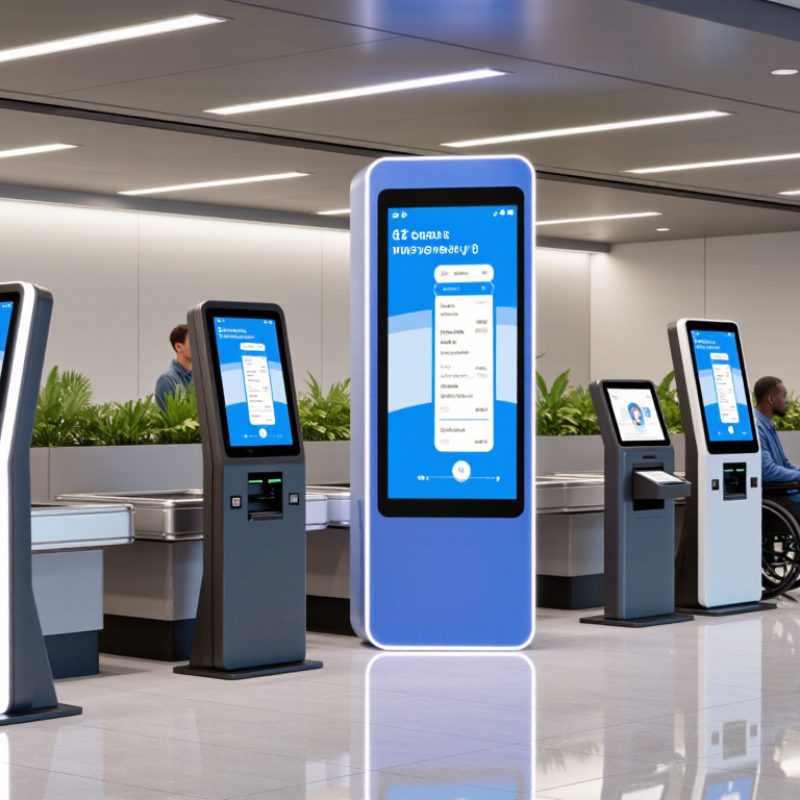
In 2026, touch screen kiosks are best classified by two questions: where they are installed and what task they support. Form factors include countertop units for checkouts, freestanding kiosks for open areas, and wall-mounted screens for narrow corridors. The task may be wayfinding, visitor check-in, ticketing, information access, or self-service ordering. These categories often overlap.
Market figures show why the distinctions matter. Grand View Research valued the global self-service kiosk market at USD 34.04 billion in 2023 and projected an 11.8% compound annual growth rate from 2024 to 2030. This estimate covers self-service kiosks broadly, not touch-screen models alone, so it should not be read as a touchscreen-only forecast. Still, it signals growing investment in unattended service. A kiosk near a clinic entrance, for example, may combine check-in, queue updates, and directions on one screen.
For practical evaluation, classify each unit by its primary job, then note its setting and interaction method. A restaurant ordering kiosk differs from a lobby directory, even if both use a vertical touch display. Look closely at screen height, glare, reach, and the time needed to complete a task. The boundary is not always neat: hybrid kiosks can serve several functions, and labels alone may hide poor usability.
What Are the Top Touch Screen Kiosk Types in 2026? — How Touch Screen Kiosks Are Classified in 2026
| Kiosk Type | Primary Purpose | Typical Environments | Common Functions | Key Considerations |
|---|---|---|---|---|
| Self-Service Transaction Kiosk | Lets users complete routine transactions without requiring staff to handle each step. | Retail locations, service centers, and public-facing facilities | Account lookup, form entry, service selection, transaction review, and receipt delivery | Provide clear instructions, secure handling of personal information, and an accessible alternative for users who need assistance. |
| Information and Directory Kiosk | Helps visitors find information, places, services, or schedules. | Shopping centers, campuses, hotels, museums, and civic buildings | Searchable directories, maps, opening hours, service details, and frequently asked questions | Keep content accurate and easy to navigate; place the screen where visitors can approach it without obstructing foot traffic. |
| Check-In and Registration Kiosk | Collects visitor or appointment details and records arrival. | Healthcare facilities, offices, hotels, and event venues | Appointment confirmation, visitor details, consent forms, check-in status, and queue notifications | Protect confidential information, support accessible interaction, and offer staff assistance when a process cannot be completed at the kiosk. |
| Ticketing and Admission Kiosk | Supports ticket purchase, collection, or validation. | Transit hubs, entertainment venues, attractions, and event spaces | Ticket selection, fare or admission information, booking lookup, ticket printing, and QR-code display | Plan for peak-period use, clear error recovery, and dependable connections to ticketing and access-control systems. |
| Self-Ordering Kiosk | Allows customers to browse options and submit an order independently. | Restaurants, cafeterias, food courts, and concessions | Menu browsing, item customization, allergy information, order confirmation, and kitchen order routing | Use readable menus, show prices and selections clearly, and make it easy to review or correct an order before submission. |
| Payment Kiosk | Enables users to pay bills, fees, or other charges at a self-service terminal. | Parking facilities, utilities, public services, and customer service locations | Balance lookup, payment amount entry, payment processing, and confirmation or receipt delivery | Use secure payment workflows, protect sensitive information, and communicate payment status and next steps clearly. |
| Wayfinding Kiosk | Guides people through a building or site to a destination. | Hospitals, campuses, airports, convention centers, and large venues | Destination search, interactive maps, route guidance, accessible route information, and nearby service listings | Keep maps and destination data current; consider screen height, visibility, language options, and routes suitable for different mobility needs. |
| Queue Management Kiosk | Organizes arrivals and directs users into a service queue. | Clinics, government service offices, banks, and repair centers | Service selection, queue ticket or digital queue assignment, wait-status display, and service routing | Make queue instructions easy to understand and provide a clear fallback when the kiosk is unavailable or a user needs help. |