











JHY PCB Blog Hub

Your Source for Expert PCB Design, Manufacturing, and Assembly Insights – Stay Informed with 2025 Trends!

What Are the Top 10 LCD Monitor Manufacturers?

Choosing the top 10 LCD Monitor manufacturers takes more than comparing familiar brand names. A polished screen can hide differences in panel sourcing, color accuracy, warranty coverage, and long-term support. Buyers also need to distinguish monitor brands from the companies that manufacture panels or assemble products for other labels. Those roles overlap, but they are not identical.

Display analyst Ross Young, founder of Display Supply Chain Consultants, has discussed how panel capacity and product mix influence the display market. A concise paraphrase of that market insight is: “Panel capacity and product mix shape competition.” This is a paraphrase, not a verbatim quotation. The distinction matters when comparing manufacturers. A company may sell excellent office displays yet offer fewer options for gaming, color-critical work, or large-format use. One specification sheet cannot tell the whole story.

This overview examines ten major manufacturers through practical criteria: product range, display performance, reliability, innovation, and global availability. It also considers how each company serves different buyers, from home users to professional studios. Look beyond resolution numbers. Check brightness, refresh rate, ports, stand adjustment, and warranty terms. Small details matter. And rankings have limits: regional availability and changing product lines can shift the picture. Treat the list as a useful starting point, not a permanent verdict.
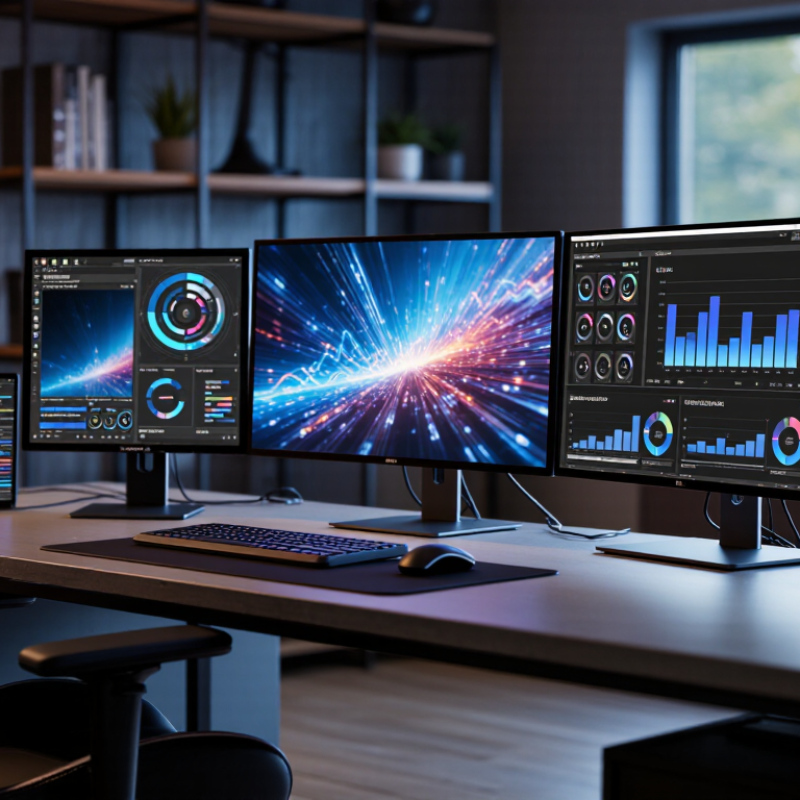
What Are the Top 10 LCD Monitor Manufacturers?

How LCD Monitor Manufacturers Are Ranked

A credible ranking of LCD monitor manufacturers starts with evidence, not advertising claims. Reviewers should compare measured brightness, contrast, color accuracy, viewing angles, and pixel response under consistent settings. A screen that looks vivid in a showroom may reveal uneven backlighting on a plain gray test image. Small details matter. Scores should reflect consistency across several models, not just one standout display.

Reliability deserves equal weight. Evaluators can examine failure reports, warranty terms, repair options, and how clearly support teams explain common problems. They should also compare product ranges: office screens, creative displays, and gaming monitors serve different needs. A manufacturer should not rank highly just because it offers many models. Testing should include practical tasks, such as reading small text, editing a photo, and using the monitor for several hours.

The ranking method needs transparent weights. For example, image quality might count more than design, while reliability and support influence the final score substantially. Results should come from repeatable tests and clearly dated product information. No scoring model is perfect. I would still question rankings that rely heavily on a few reviews or lack long-term reliability data. A strong comparison explains its limits instead of presenting every score as final.

The Top 10 LCD Monitor Manufacturers at a Glance

The top 10 LCD monitor manufacturers at a glance should be treated as a comparison, not a permanent league table. Their strengths differ in panel selection, quality control, and intended use. Some focus on practical office screens, while others emphasize accurate color, fast refresh rates, or larger displays. Rankings can change by region and year. That matters.

For a useful comparison, examine the details behind each product range. IPS panels often provide wide viewing angles, while VA panels can deliver stronger contrast. Resolution, brightness, and refresh rate also affect daily use. A 27-inch screen with sharp text may suit spreadsheets; a high-refresh model may feel smoother during fast-moving games. Check ports, stand adjustment, warranty terms, and independent test results too. Small details count.

The overview should also distinguish a monitor maker from a company that mainly assembles displays using components from several suppliers. That distinction is not always easy to verify. Published specifications can omit panel revisions, and performance may vary between individual units. A top-ten list is therefore a useful starting point, but not a guarantee that every model from a manufacturer performs equally well. Test results and the intended workspace deserve a closer look.

What Are the Top 10 LCD Monitor Manufacturers? - The Top 10 LCD Monitor Manufacturers at a Glance

Company names and brand data are intentionally omitted. This at-a-glance table summarizes ten factual product and industry benchmarks for comparing LCD monitor manufacturers; it is not a company ranking.

No. Comparison Dimension Industry Fact or Benchmark Why It Matters
1 LCD Panel Technology Common LCD panel modes include IPS, VA, and TN. Each uses liquid crystals to control how much light passes through the panel. Panel mode influences viewing angles, contrast, and motion characteristics.
2 Backlighting LCD pixels do not emit their own light; LCD monitors use a backlight. LED backlighting is standard in current monitor designs. Backlight design affects brightness, power use, and screen uniformity.
3 Common Screen Sizes 24-inch and 27-inch screens are common desktop monitor sizes. Actual dimensions are measured diagonally. Screen size helps buyers match the display to desk space and typical viewing distance.
4 Full HD Resolution Full HD is 1920 × 1080 pixels, or 2,073,600 pixels in total. It is a widely used resolution for general desktop and office use.
5 Higher Resolutions QHD is 2560 × 1440 pixels (3,686,400 pixels); UHD 4K is 3840 × 2160 pixels (8,294,400 pixels). Higher resolutions provide more image detail and workspace, but require compatible source hardware.
6 Aspect Ratio 16:9 is common on desktop monitors. Wider 21:9-class screens are also available. Aspect ratio affects how much horizontal workspace is available and how content fits on screen.
7 Refresh Rate Common refresh-rate options include 60, 75, 120, 144, 165, and 240 Hz; availability depends on the model. A higher refresh rate can produce smoother motion when the connected device can supply matching frame rates.
8 Color Gamut Specifications may report coverage of color spaces such as sRGB or DCI-P3. Coverage figures are model-specific. Color-space coverage helps assess suitability for design, photo, and video work.
9 Connections Monitor connection options vary by model and may include digital video inputs, audio connections, and USB data ports. Check input types and supported resolution and refresh-rate combinations against the devices being connected.
10 Mounting and Compliance Some monitors support 75 × 75 mm or 100 × 100 mm mounting patterns. Safety, energy, and display certifications vary by model and sales region. Verify mounting compatibility and the certifications required for the intended market or workplace.

Company Profiles: Products, Technologies, and Market Focus

A “top 10” list depends on what buyers value: price, color accuracy, refresh rate, or long-term support. The profiles below describe common manufacturer strengths, not a verified ranking. Product specifications vary by model, so check the exact panel type, ports, warranty, and brightness before comparing.

High-volume manufacturers focus on office and home displays, often offering Full HD and 4K panels with adjustable stands. Gaming-focused firms prioritize fast refresh rates, low response times, and adaptive synchronization; some trade color consistency for speed. Color-critical makers target designers with factory calibration, wider color gamuts, and uniformity controls. Portable-monitor specialists emphasize slim housings and USB-C power, while ultrawide producers serve multitasking and simulation setups. Details matter.

Other profiles include budget suppliers, premium productivity specialists, education-focused producers, industrial display makers, and firms serving clinical environments. Their technologies may include glare-reducing coatings, touch layers, reinforced frames, or higher brightness for bright rooms. Industrial and clinical products often require more careful specification checks than ordinary desktop screens. A feature label alone proves little. Ask for measured brightness, supported input formats, pixel policies, and service coverage. Some product pages make comparisons awkward; that is worth noticing. Independent testing can help reveal uneven backlighting, distracting reflections, or stands that wobble on a crowded desk.

How Leading Manufacturers Differ in Quality and Value

Comparing the top 10 LCD monitor manufacturers is less about finding one universal winner than understanding how each balances quality and value. Some prioritize sharp factory calibration, consistent brightness, and sturdy stands. Others keep prices lower by using simpler adjustments or fewer ports. A screen may look excellent in a showroom but reveal uneven brightness on a plain gray background. Details matter.

For everyday work, compare the specific model, not just the manufacturer’s reputation. Check text clarity, viewing angles, color coverage, refresh rate, and the stand’s height adjustment. For design work, reliable color consistency may justify a higher price; for office tasks, a comfortable stand and clear text can matter more. Warranty terms and local service also affect long-term value, though they vary by model and region. I’d treat broad “best manufacturer” lists cautiously. They can miss meaningful differences between product lines.

Tips: Read model-specific reviews and look for measured brightness and color results. Test a white screen for dim corners, and a gray screen for blotchy patches. Compare total cost, including any needed cable or stand. Small caveat: published tests cannot predict every unit.

Factors to Consider When Choosing an LCD Monitor Brand

Choosing an LCD monitor brand starts with your workspace, not the brightest number on a box.

Measure desk depth and viewing distance; a large screen can feel cramped when placed close. Check panel type, resolution, and refresh rate against your daily tasks. Text-heavy work benefits from clear resolution and comfortable scaling, while fast-moving images may need smoother refresh. Specifications help, but they do not tell the whole story.

Look for independent test results on brightness uniformity, color accuracy, and response behavior. A monitor that looks vivid in a showroom may show uneven corners in a dim room. Small details matter. Check ports, stand adjustment, and whether the screen can rise to eye level. A USB-C connection may reduce cable clutter, but confirm it supplies enough power for your computer.

Warranty length, pixel policies, and local repair access also affect ownership costs. Read the fine print. A long warranty alone does not prove good quality; service speed can vary, and policies may be less clear than expected.

If possible, compare the display in your usual lighting and check the return terms before buying. A slight color shift may matter greatly to one person and hardly at all to another.

Scroll to Top