











10 Tips for Buying the Right TFT LCD Display
Choosing the right TFT LCD Display is rarely a simple matter of comparing prices. A screen may look impressive in a bright showroom, yet appear washed out beside a factory window. Engineers, product managers, and buyers must examine brightness, contrast, viewing angle, touch response, temperature range, resolution, and expected service life. Each detail affects the finished product. A medical monitor needs stable grayscale performance. A handheld controller may need sunlight readability and low power consumption. Industrial equipment demands durable glass and reliable connectors.
Display industry analyst Ross Young has often emphasized a practical principle: “The best display is the one that fits the application.” That idea guides this article, 10 Tips for Buying the Right TFT LCD Display. It encourages buyers to begin with real operating conditions, not attractive catalog images. Measure the enclosure, test the viewing angle, and check whether the backlight remains readable after hours of use. Ask suppliers about panel consistency, sample approval, warranty terms, and long-term availability. Small oversights become expensive redesigns.
Still, no buying guide can remove every uncertainty. Specifications may be incomplete. Samples may perform better than mass production units. We need to question our assumptions. A lower-cost panel can sometimes deliver excellent value, but only after careful testing. Check the fine print. Check it again. Reliable purchasing depends on evidence, documented testing, and honest communication with the manufacturer. This introduction sets the foundation for practical decisions, while recognizing that even experienced teams can miss one critical detail.
Define the Display’s Intended Use and Operating Environment
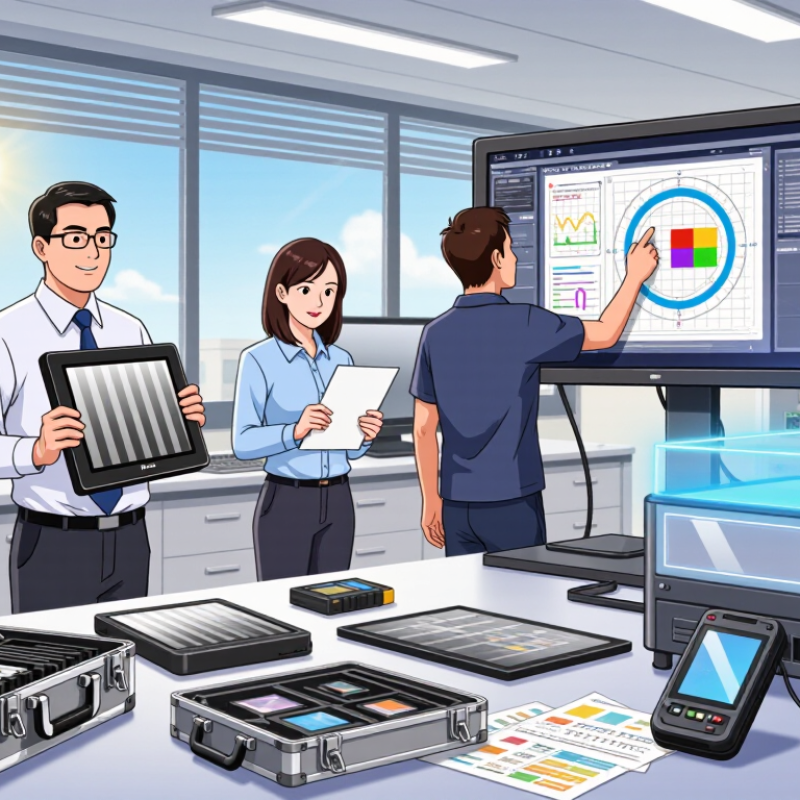
Before choosing a TFT LCD display, define exactly where and how it will operate. A dashboard inside a quiet office has different needs from a control panel beside a factory machine. Identify viewing distance, daily operating hours, user interaction, and expected service life. A display used for ten hours daily may need stronger backlighting and better thermal control.
The environment matters just as much. Direct sunlight can wash out ordinary screens, while a dark enclosure may expose excessive brightness. Check the operating temperature, humidity, vibration, dust, and possible condensation. For outdoor equipment, sunlight readability and a wide temperature range are essential. For industrial equipment, a sealed front surface and dependable touch performance may matter more than a very high resolution.
I once selected a panel mainly by size and resolution. That assumption was wrong. The screen looked excellent on a workbench but became difficult to read through a protective cover. Test the complete assembly, not only the bare display. Measure brightness after adding glass, filters, or a touch layer. Also test it with gloves, at an angle, and during temperature changes. A datasheet provides useful limits, but real conditions can be less forgiving. Leave practical margin instead of designing at the edge of every specification.
| No. | Buying Consideration | Recommended Specification or Range | Why It Matters | Practical Selection Guidance |
|---|---|---|---|---|
| 1 | Define the Intended Use | Choose the display according to the application, such as industrial control, medical equipment, transportation, retail, or consumer electronics. | Different applications have different requirements for brightness, durability, touch performance, viewing angle, and regulatory compliance. | List the main user tasks, installation location, operating hours, and required interaction method before comparing display models. |
| 2 | Check the Operating Temperature | For indoor equipment, a typical range is 0°C to 50°C. For demanding installations, consider industrial ranges such as -20°C to 70°C or wider. | Extreme temperatures can slow liquid-crystal response, reduce contrast, affect backlight performance, or shorten service life. | Use the display’s specified operating range rather than its storage range, and include heat generated by nearby electronics in the evaluation. |
| 3 | Evaluate Brightness | Approximately 250–400 cd/m² for ordinary indoor use; 500–800 cd/m² for bright indoor areas or shaded outdoor locations; higher values may be needed under direct sunlight. | Insufficient brightness makes information difficult to read, while excessive brightness can increase power consumption and eye strain. | Measure ambient light at the actual installation site and verify readability through the cover glass, touch panel, or protective window. |
| 4 | Consider Viewing Angle | For shared viewing, select a panel with approximately 80° or more horizontal and vertical viewing angles, measured using a consistent contrast criterion. | A wide viewing angle helps preserve image clarity when users view the screen from different positions. | Check for color shift, brightness loss, and contrast reduction at the actual viewing angles instead of relying only on the headline specification. |
| 5 | Select the Appropriate Resolution | Use the native resolution that matches the content: common options include 800 × 480, 1024 × 600, 1280 × 800, and 1920 × 1080 pixels. | Higher resolution improves image detail but may require more processing capability, memory, and backlight power. | Match resolution to screen size, viewing distance, graphics requirements, and the output capability of the host system. |
| 6 | Choose the Correct Size and Aspect Ratio | Select the diagonal size and aspect ratio based on the available enclosure space and user interface layout. | A display that is too large may not fit the product, while an unsuitable aspect ratio can leave unused space or require interface redesign. | Confirm the active area, outline dimensions, thickness, mounting holes, bezel width, and cable location using a mechanical drawing. |
| 7 | Match the Touch Technology | Resistive touch suits glove use and single-point input; projected capacitive touch suits multi-touch and gesture-based interfaces. | Touch technology affects input accuracy, durability, operation with gloves, response to moisture, and compatibility with the cover lens. | Test the complete touch stack, including gloves, protective glass, calibration, water exposure, and the intended operating system. |
| 8 | Check Environmental Protection | For dusty or wet locations, consider an enclosure or front-panel protection level such as IP65 or higher where the complete assembly can support it. | Ingress protection reduces the risk of damage from dust, water spray, cleaning procedures, and accidental contact. | Confirm whether the rating applies to the complete installed product or only to a particular front surface or component. |
| 9 | Verify Interface Compatibility | Common display interfaces include LVDS, MIPI DSI, RGB, SPI, and eDP. The required interface depends on the host processor and system design. | An incompatible interface can require additional conversion hardware, increase development time, or limit refresh rate and resolution. | Check signal voltage, connector type, pin assignment, data lanes, timing requirements, cable length, and software support before ordering. |
| 10 | Review Reliability and Lifecycle Requirements | For continuous operation, consider LED backlight life ratings commonly specified around 30,000–50,000 hours, along with component availability and testing requirements. | Long service life and stable supply help reduce maintenance costs and prevent redesigns during the product lifecycle. | Request reliability data, burn-in or temperature-cycle test information, warranty conditions, change-notification procedures, and long-term supply commitments. |