











JHY PCB Blog Hub
Your Source for Expert PCB Design, Manufacturing, and Assembly Insights – Stay Informed with 2025 Trends!
2026 Best Smart Home Electronics Design Trends for Buyers
Smart Home Electronics Design in 2026 is shifting from novelty to everyday usefulness. Buyers are looking beyond voice assistants and flashy screens. They want quiet sensors, dependable connectivity, clear controls, and devices that fit naturally into a room. A thermostat should be easy to read from the doorway. A motion sensor should work without drawing attention. Small details matter.
Industry research helps explain this shift. Deloitte’s 2024 Connected Consumer Survey examines how people use connected devices and the friction they encounter, including concerns about privacy and managing multiple technologies. Parks Associates’ smart-home research likewise tracks household adoption and the value buyers place on connected services. Together, these reports point to a practical design challenge: adding more devices does not automatically make a home simpler. Compatibility, setup, and long-term support still matter.
The design principle is simple. “Design is not just what it looks like and feels like. Design is how it works,” said Steve Jobs, an influential product-design leader. For smart-home buyers, that means judging a device by its daily performance—not its launch-day demo. Look for Matter support, physical controls where they help, replaceable components, and privacy settings that are easy to understand. Yet no standard solves every problem. Devices can still behave differently across brands, and sleek interfaces may hide confusing setup steps. That is worth questioning. This guide explores the 2026 trends that offer real value, the features that may disappoint, and the design choices buyers should inspect before investing.
What Defines Smart Home Electronics Design in 2026
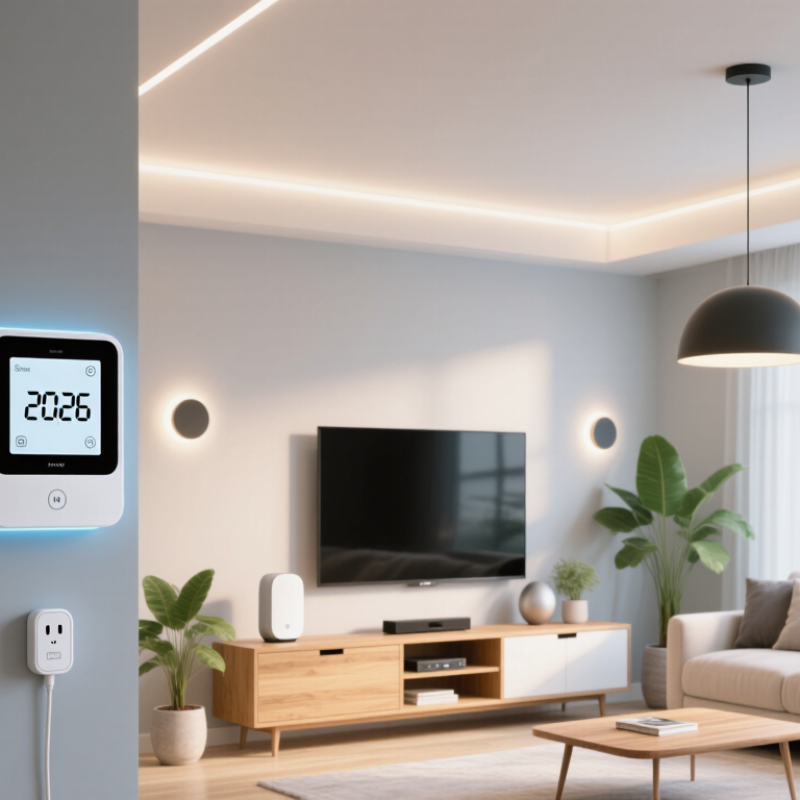
Smart home electronics design in 2026 is less about adding screens and more about making connected devices dependable. A thermostat should show its temperature clearly from across the room. A door sensor should communicate its status without demanding an app check. Physical buttons still matter. They are useful when a phone is charging or a connection drops.
Compatibility is part of good design, not a bonus feature. Buyers should look for clear information about supported devices, setup requirements, and what happens during an internet outage. Privacy controls should be easy to find, with understandable settings for data sharing and account access. Local processing can reduce reliance on cloud services, though its availability varies by device. More features do not always mean more control.
Materials and maintenance deserve attention, too. A matte surface may hide fingerprints better than glossy plastic, while a replaceable battery can make a small sensor easier to keep in service. Check whether cables, mounting parts, and instructions are included. I would not assume that a polished interface means a thoughtful product; some menus remain confusing. Look for readable labels, adjustable alerts, and settings that can be changed without digging through several screens.
How AI and Automation Shape Everyday Devices
AI is moving smart home devices beyond simple timers. A thermostat can learn that a sunny kitchen warms faster than a shaded bedroom, then adjust each room gradually. Motion and light sensors can dim a hallway lamp when nobody is nearby, while a connected speaker sets a quieter volume after bedtime. These small changes matter because they remove repeated taps from ordinary routines. Less fiddling. More comfort.
Automation works best when it remains understandable. A useful system shows why it changed the temperature or delayed a washing cycle, and lets residents override the decision quickly. During a week of changing schedules, for example, occupancy detection may mistake an empty home for a quiet one. That can leave rooms too warm or lights unexpectedly off. AI can improve as it receives feedback, but it does not read intentions perfectly. Buyers should check whether devices work locally during internet outages, offer clear privacy settings, and support simple manual controls. Energy reports can also reveal whether automated heating actually reduces use, rather than merely shifting it to another hour. The setup can still feel fiddly. That is worth admitting.
Why Interoperability and Connectivity Matter to Buyers
Interoperability matters when everyday routines involve more than one smart device. A door sensor might trigger a hallway light, while a thermostat responds to an open window. These actions feel seamless only when devices can communicate reliably. Buyers should check which common standards and control systems each product supports. A familiar logo is less useful than clear compatibility details.
Connectivity deserves equal attention. A device may work perfectly beside the router, then miss commands from a bedroom or garage. Check whether the home network reaches the intended location, and look for practical setup guidance. Small details matter. Consider whether essential functions still work if the internet drops, and whether settings can be managed locally. A simple manual control can be reassuring.
Long-term support also affects the buying decision. Ask how updates are delivered, how long the manufacturer expects to provide them, and whether devices can be added without replacing the whole system. These answers are not always easy to compare. Compatibility claims can sound broader than real-world performance, so read the limits carefully. I would prioritize a modest system that works consistently over a larger setup that needs constant troubleshooting. That preference is not perfect; convenience means different things in different homes.
2026 Best Smart Home Electronics Design Trends for Buyers - Why Interoperability and Connectivity Matter to Buyers
| Design Trend | Connectivity or Standard | What Buyers Gain | What to Verify Before Buying | Practical Consideration |
|---|---|---|---|---|
| Cross-platform device control | Matter over supported IP networks, including Wi-Fi and Thread | Compatible devices can be set up and controlled through supported smart-home platforms, reducing dependence on a single device ecosystem. | Check that the exact device model and required features are Matter-certified and supported by the controller or platform you use. | Interoperability does not guarantee that every device feature is available in every platform. |
| Low-power mesh networking | Thread | Thread supports low-power devices and mesh communication, which can help battery-operated sensors and controls communicate across a home. | Confirm whether your setup needs a Thread border router and whether one is already included in a compatible device. | A Thread network and a Wi-Fi network are different; Thread devices do not connect directly to a standard Wi-Fi access point. |
| Reliable high-bandwidth connections | Wi-Fi | Wi-Fi is widely used for devices that need a home network connection, including cameras, displays, and appliances. | Check supported Wi-Fi bands, network requirements, and whether the device requires an internet connection for key functions. | Coverage, network congestion, and router placement can affect performance; a device’s Wi-Fi support does not by itself ensure cross-platform compatibility. |
| Simpler device commissioning | Bluetooth Low Energy for setup; IP networking for regular communication where supported | Bluetooth can assist with nearby device discovery and setup, helping buyers connect devices without manually entering network details in some setups. | Review the setup instructions and confirm which phone permissions, controller, or app are required. | Bluetooth support alone does not mean a device can be controlled remotely or interoperates with other smart-home products. |
| Flexible connectivity choices | Multiple supported protocols, such as Wi-Fi, Thread, or Bluetooth | Different connection options can suit different device roles, from mains-powered appliances to compact sensors. | Identify which protocol each feature uses, and check whether extra hubs, border routers, or subscriptions are needed. | More radios or protocol labels do not automatically mean broader compatibility; support must exist across the device, controller, and platform. |
| Local control and resilience | Local network or direct controller communication, when supported | Some functions may continue to work on the home network when an external service is unavailable. | Look for clear documentation specifying which controls work locally and which require internet access or a cloud service. | Local operation varies by product and feature; do not assume that all automations or remote controls work offline. |
| More useful automation | Shared device models, platform integrations, and sensor data | Compatible lights, sensors, locks, and climate devices can be combined into routines across supported platforms. | Verify that the specific device type and desired functions—such as dimming, occupancy sensing, or temperature reporting—are supported. | Device-category compatibility may not include every advanced feature or automation condition. |
| Long-term upgrade planning | Standards-based connectivity and documented software support | Clear protocol and update information makes it easier to assess whether a device can fit into a changing smart-home setup. | Check the manufacturer’s published update policy, end-of-support information, and any required account or app dependency. | Standards can improve interoperability, but software updates and platform policies still affect a device’s useful life. |
Buyer takeaway: Compare the protocol, controller requirements, supported device features, and internet dependency—not just the connectivity logo. Interoperability depends on the complete setup and the specific functions you plan to use.
How Energy Efficiency and Privacy Influence Product Choices
In 2026, energy efficiency and privacy are becoming practical buying criteria for smart home electronics. The International Energy Agency’s 2023 Buildings report says buildings account for about 30% of global final energy use. Smart thermostats, lighting controls, and energy monitors can help households spot waste, but savings depend on setup and daily habits. A thermostat cannot fix a drafty window. And a low-power label alone tells only part of the story.
Privacy deserves equal attention. In a 2023 Pew Research Center survey, 73% of U.S. adults said they had little or no control over the data companies collect about them. Before buying, check whether a device works without cloud storage, how long recordings are retained, and whether its microphone or camera can be switched off. Fewer connected features may mean fewer conveniences. Sometimes that trade-off feels worthwhile.
Tips: Compare standby power, not just active use. Place an energy monitor where you can read it easily, and review its readings for a week. Choose devices with clear privacy settings and useful local controls. I would still question whether every room needs a sensor; more automation can mean more data, and more things to maintain.
What to Evaluate When Choosing Smart Home Electronics
Choose smart home electronics by the task they need to perform, not by the number of features listed. A motion sensor should respond reliably in the hallway, while a thermostat should be easy to adjust from the rooms you use most. Check whether devices work together through a shared platform or standard. Wi-Fi coverage matters, especially near garages and upstairs bedrooms. Read the privacy settings and find out how long software updates are expected. Convenience can hide trade-offs.
In everyday use, small delays become irritating. Test the app setup, voice controls, and manual options before committing, if a store or trial period allows it. Check whether essential functions still work when the internet drops. Compare power needs, installation steps, and replacement costs, not just the purchase price. Clear instructions and accessible support are useful signs of a thoughtfully designed product. Still, specifications cannot predict every home; thick walls and crowded networks may change performance.
Tips: Measure the space and check your Wi-Fi signal before buying. Start with one device, then see how it behaves for a week. Keep the packaging until setup is confirmed. I would not assume the newest design is automatically the best fit.


